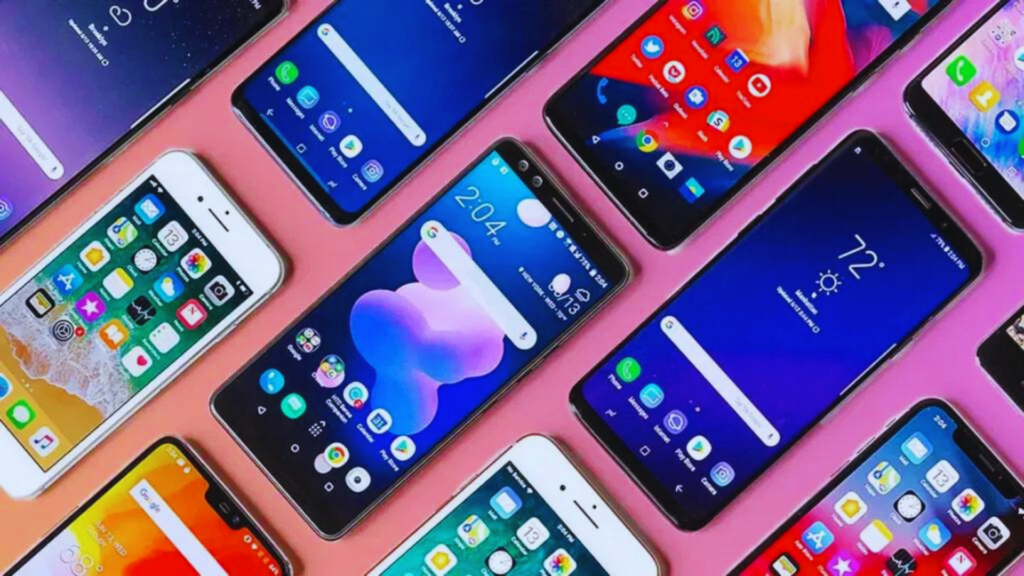
Buying a new smartphone in 2026 sounds simple until you start comparing specifications.
One phone promises a 200MP camera. Another promotes artificial intelligence. A third focuses on gaming performance, while another promises years of software updates.
Then you have to decide between Android and iPhone, 128GB or 256GB storage, large or compact displays, fast charging or wireless charging, traditional smartphones or foldables.
The problem is that the phone with the biggest numbers is not necessarily the best phone for you.
A better approach is to ask:
What do I actually need my smartphone to do well for the next three to five years?
This guide explains how to choose a smartphone in 2026 based on the factors that matter most: budget, performance, cameras, battery life, display quality, software support, storage, AI features, connectivity, durability and long-term value.
1. Start With Your Budget, Not the Specification Sheet
Before comparing processors and cameras, decide how much you realistically want to spend.
Smartphones generally fall into four broad categories.
Budget phones
Best for:
- calling and messaging;
- social media;
- video streaming;
- UPI and banking apps;
- basic photography; and
- everyday browsing.
You may sacrifice camera quality, gaming performance, premium materials and long-term software support.
Mid-range phones
For many buyers, this is the strongest value category.
Good mid-range smartphones can offer:
- OLED displays;
- capable cameras;
- 5G;
- strong battery life;
- fast charging;
- good processors; and
- several years of software support.
Unless you need specialist camera, gaming or productivity features, a mid-range device can often meet everyday needs without flagship pricing.
Flagship phones
Flagships typically provide:
- the fastest processors;
- better camera hardware;
- premium displays;
- stronger materials;
- advanced AI features;
- better video recording;
- longer software support; and
- premium ecosystem integration.
However, spending twice as much does not necessarily provide twice the everyday usefulness.
Foldable phones
Foldables offer a different experience rather than simply “better specifications.”
They are worth considering if you specifically value:
- tablet-like multitasking;
- larger displays in a pocketable format; or
- compact flip-phone designs.
But buyers should also consider durability, repair cost and long-term ownership before choosing a foldable.
2. Android or iPhone: Which Is Better in 2026?
There is no universal winner.
The better operating system depends heavily on your existing devices and preferences.
Why choose Android?
Android offers a wide variety of hardware from manufacturers including:
- Samsung;
- Google;
- OnePlus;
- Motorola;
- Nothing;
- Xiaomi;
- Vivo;
- Oppo; and
- others.
Android is generally attractive to users who value:
- greater device choice;
- wider price ranges;
- customization;
- different charging technologies;
- foldable options;
- different camera approaches; and
- flexibility in hardware.
Why choose an iPhone?
An iPhone may make more sense if you already use:
- a Mac;
- Apple Watch;
- AirPods;
- iPad; or
- other Apple services.
Apple’s tightly integrated ecosystem allows devices to work together in ways that can be convenient for existing Apple users.
The current iPhone generation also uses USB-C, bringing charging connectivity closer to much of the rest of the smartphone market. Apple’s current iPhone 17 specifications list USB-C, Wi-Fi 7, Bluetooth 6 and 5G connectivity. (apple.com)
The best question is therefore not:
“Is Android or iPhone objectively better?”
It is:
“Which ecosystem better fits the devices and services I already use?”
3. Software Updates Are Now One of the Most Important Buying Factors
This is one of the biggest improvements missing from older smartphone buying guides.
A smartphone can have excellent hardware and still become a poor purchase if software support ends too quickly.
Updates matter because they provide:
- security fixes;
- operating-system upgrades;
- compatibility with newer apps;
- bug fixes; and
- new features.
Some Android manufacturers now provide support periods that would have been exceptional only a few years ago.
For example, Google says Pixel 8 and later phones receive seven years of OS and security updates from their original U.S. Google Store availability date. (support.google.com)
Samsung similarly promises seven generations of operating-system upgrades and seven years of security updates for devices such as the Galaxy S26 series. (samsung.com)
What should you check before buying?
Search the manufacturer’s official website for:
“[phone model] software update policy.”
Do not assume every phone from the same manufacturer receives the same support period.
A cheap phone supported for only a short time may ultimately offer worse value than a slightly more expensive phone that remains secure and usable for years.
4. Don’t Buy a Phone Based on Processor Name Alone
The processor affects:
- app performance;
- gaming;
- photography processing;
- AI features;
- video editing;
- battery efficiency; and
- overall responsiveness.
But most modern users do not need the fastest available chip.
Basic user
If you mainly use:
- WhatsApp;
- Instagram;
- YouTube;
- Chrome;
- banking apps; and
- streaming services,
a good mid-range processor should be sufficient.
Power user
Consider flagship-level performance if you regularly:
- play demanding games;
- edit 4K video;
- process RAW photographs;
- run heavy productivity apps;
- multitask extensively; or
- plan to keep the phone for many years.
One important rule:
Look at real-world reviews, not just benchmark scores.
A processor that produces impressive benchmark numbers may still suffer from heat, throttling or poor battery efficiency.
5. How Much RAM Do You Need in 2026?
The old version of this article suggested that 4GB RAM was enough for light users.
That advice is increasingly outdated, particularly for Android buyers planning to keep a device for several years.
RAM allows applications and background processes to remain available without constantly being reloaded.
For Android phones, a practical 2026 guideline is:
| Usage | Practical RAM target |
|---|---|
| Very basic/budget use | 6GB |
| Most users | 8GB |
| Heavy multitasking/gaming | 12GB |
| Specialist/premium use | 12GB+ |
These are buying guidelines rather than universal requirements.
Different operating systems manage memory differently, so comparing an Android phone and an iPhone purely by RAM capacity is not particularly useful.
Also be careful with advertising such as:
“8GB + 8GB virtual RAM.”
Virtual or extended RAM uses phone storage and is not equivalent to having 16GB of physical RAM.
6. 128GB or 256GB: How Much Storage Should You Buy?
Storage requirements have increased as cameras, games and apps have become larger.
For most buyers:
128GB
Suitable if you:
- mainly stream content;
- take moderate numbers of photos;
- use cloud storage;
- install relatively few large games.
256GB
The best balance for many users who expect to keep their phone for several years.
It provides considerably more room for:
- photographs;
- 4K video;
- offline media;
- games; and
- large applications.
512GB or more
Consider it if you:
- record substantial amounts of high-resolution video;
- store RAW images;
- download large game libraries;
- keep offline movies; or
- use the phone for professional content creation.
Remember that many premium smartphones no longer include microSD expansion.
If there is no expandable storage, your original purchasing decision is permanent.
7. Don’t Judge a Smartphone Camera by Megapixels
This advice from the original article remains correct and is worth expanding.
A 200MP camera is not automatically better than a 48MP or 50MP camera.
Image quality depends on many factors:
- sensor size;
- lens quality;
- aperture;
- optical stabilization;
- autofocus;
- image processing;
- HDR;
- low-light processing; and
- computational photography.
Look at the entire camera system
A flagship may include:
- main camera;
- ultrawide camera;
- telephoto camera;
- periscope zoom;
- macro capability; and
- depth information.
But the number of cameras also does not guarantee quality.
A strong main camera plus useful ultrawide may be better than four weak sensors added mainly for marketing.
Video matters too
If you regularly create:
- reels;
- YouTube videos;
- family videos;
- product content; or
- social-media posts,
check:
- stabilization;
- 4K quality;
- microphone performance;
- HDR;
- autofocus; and
- switching between lenses while recording.
Always look at real camera samples from independent reviews before buying.
8. Optical Zoom vs Digital Zoom
This deserves separate attention.
Optical or high-quality sensor-based zoom generally provides better results than simply enlarging a digital image.
If you frequently photograph:
- concerts;
- wildlife;
- sports;
- children on stage; or
- distant objects,
a phone with a dedicated telephoto or periscope lens may be worth paying extra for.
Do not be overly impressed by claims such as:
“100x zoom.”
The highest advertised zoom level is often far less useful than the phone’s image quality at moderate zoom ranges.
9. Display: OLED, Refresh Rate and Brightness Matter More Than Resolution Alone
Most people interact with their smartphone display for several hours every day.
So display quality matters enormously.
OLED vs LCD
OLED displays can provide:
- true blacks;
- strong contrast;
- vivid colors; and
- individually controlled pixels.
LCD screens can still be good, particularly on budget devices, but OLED has become increasingly common in mid-range phones.
60Hz vs 120Hz
Refresh rate affects how smooth scrolling and animations appear.
A 120Hz display can feel noticeably smoother than a traditional 60Hz panel.
However, higher refresh rates can use more energy depending on how the phone manages them.
Premium devices increasingly use adaptive refresh technologies that reduce refresh rate when high speed is unnecessary.
Brightness
If you frequently use your phone outdoors, screen brightness can matter more than extreme resolution.
Do not compare only the manufacturer’s theoretical peak-brightness number.
Check reviews for actual outdoor visibility.
10. Screen Size: Bigger Is Not Always Better
Large phones are excellent for:
- video;
- gaming;
- reading;
- editing;
- navigation; and
- productivity.
But they can be uncomfortable for:
- one-handed use;
- small pockets;
- long calls; and
- people with smaller hands.
Before buying, physically hold the phone if possible.
Something that looks beautiful in a YouTube review may feel too heavy after twenty minutes of actual use.
Pay attention to:
- weight;
- width;
- thickness;
- button placement; and
- camera-bump size.
Ergonomics cannot be understood from a specification sheet.
11. Battery Capacity Is Only Half the Story
A common mistake is comparing:
5,000mAh vs 4,500mAh
and assuming the larger number automatically means longer battery life.
Actual battery performance also depends on:
- processor efficiency;
- modem efficiency;
- display;
- refresh rate;
- software optimization;
- network conditions;
- camera use;
- gaming; and
- background applications.
A well-optimized phone with a smaller battery can sometimes outperform a poorly optimized device with a larger one.
For this reason, prioritize real-world battery tests over capacity alone.
12. Fast Charging: Look Beyond the Watt Number
Fast charging can be extremely useful.
But a phone advertising 120W charging is not automatically a better overall purchase than one offering 45W or 30W.
Check:
- actual 0–50% charging time;
- full charging time;
- whether the charger is included;
- whether proprietary equipment is required;
- battery-health features; and
- wireless charging support.
Also consider whether you actually need extreme charging speeds.
A phone that reliably lasts all day may make charging speed less important.
13. Battery Health Matters if You Keep Phones for Years
Modern buyers should consider battery longevity, not just battery life per charge.
The European Union introduced new smartphone energy-label and ecodesign rules from June 20, 2025.
Among other requirements, covered smartphone batteries must withstand at least 800 charging cycles while retaining at least 80% of their original capacity. The label also provides information about battery endurance, durability and repairability. (europa.eu)
Even if you live outside Europe, the change is useful because it demonstrates how smartphone purchasing is increasingly shifting toward long-term product life, not just launch-day specifications.
14. Repairability Should Be Part of Your Buying Decision
Phones inevitably suffer from:
- cracked screens;
- damaged USB ports;
- weak batteries;
- broken cameras; and
- accidental drops.
Before purchasing an expensive smartphone, check:
- screen replacement cost;
- battery replacement cost;
- availability of authorized service centers;
- spare-part availability;
- warranty conditions; and
- repair turnaround time.
The EU’s smartphone energy label now even includes a repairability rating, alongside battery durability and protection information. (europa.eu)
A slightly cheaper phone can become much more expensive if a screen replacement costs a large percentage of the original purchase price.
15. IP67 vs IP68: Understand Water Resistance
You may see ratings such as:
- IP67;
- IP68.
The first number relates to protection against solids such as dust.
The second relates to water protection under specified test conditions.
Do not interpret water resistance as:
“My phone is waterproof.”
Water resistance can deteriorate over time, and warranties may not cover every type of liquid damage.
Still, an appropriate IP rating can provide useful additional protection against accidental splashes and exposure.
16. 5G Is Now Standard — But Check the Bands
Buying a 5G phone is increasingly normal.
However, simply seeing a 5G logo is not enough.
Network compatibility can vary by:
- country;
- carrier;
- frequency band;
- device variant; and
- imported model.
If buying an imported phone, verify that it supports your operator’s important 4G and 5G bands.
This is particularly important in India, where network compatibility can affect the actual experience even if the phone technically supports 5G.
17. eSIM Is Becoming More Important
An eSIM is a digital SIM built into a phone rather than a removable plastic card.
Benefits can include:
- easier carrier switching;
- multiple stored plans;
- simpler international travel;
- reduced dependence on a physical SIM tray.
However, availability depends on your carrier and device.
Different regional versions of the same phone can also have different physical-SIM and eSIM configurations.
For example, Apple’s current iPhone 17 specifications differ by market, with eSIM and physical-SIM configurations varying by region. (apple.com)
Check your mobile operator before buying a phone specifically for eSIM.
18. Satellite Connectivity Is Emerging — But Don’t Buy on the Hype Alone
Satellite communication is moving into mainstream smartphones.
Apple supports satellite functionality on supported iPhone models for services such as emergency communication and, in some regions, messaging when users are outside cellular and Wi-Fi coverage. (support.apple.com)
Some Google Pixel devices also include satellite safety capabilities. (support.google.com)
But availability can depend on:
- country;
- model;
- carrier;
- software version; and
- service provider.
Satellite functionality is potentially valuable for people who:
- hike;
- travel in remote locations;
- work far from cellular coverage; or
- frequently take road trips.
For the average city user, it should probably not be the primary reason to choose one phone over another.
19. AI Phones Are Everywhere in 2026 — Decide Which AI Features You Will Actually Use
Artificial intelligence has become one of the biggest smartphone marketing themes.
Current phones may offer AI features for:
- photo editing;
- image generation;
- call summaries;
- translation;
- voice transcription;
- search;
- writing assistance;
- notification summaries;
- object recognition; and
- personal assistants.
Samsung, for example, continues to expand Galaxy AI across its current flagship lineup, while Google increasingly integrates AI deeply into Pixel devices. (samsung.com)
But do not buy a phone simply because its box says AI.
Ask:
- Is the feature useful to me?
- Does it work in my language?
- Does it require an internet connection?
- Is it processed on-device or in the cloud?
- Does it require a subscription?
- Will it continue to be free?
- Does it work in my country?
AI features can be useful, but they should complement good hardware rather than compensate for weak fundamentals.
For a broader look at the risks and opportunities created by modern technology, read our Dark Side of the Tech Industry in 2026 analysis.
20. Security Features Matter More Than Ever
Your smartphone may contain:
- banking information;
- photographs;
- email;
- passwords;
- authentication apps;
- work documents;
- private conversations; and
- payment credentials.
Security should therefore be treated as a core feature rather than a bonus.
Look for:
- regular security patches;
- biometric authentication;
- device encryption;
- theft protection;
- remote-device locating;
- remote wiping; and
- secure application permissions.
Long software support is especially important here.
A perfectly functional phone that no longer receives security fixes may eventually become a poor choice for sensitive tasks.
21. Fingerprint Sensor or Face Unlock?
Both can work well, but implementation matters.
Fingerprint readers may be:
- ultrasonic;
- optical under-display; or
- side-mounted.
Face-unlock systems also differ greatly.
Some use dedicated depth-sensing hardware, while others rely primarily on the front camera.
If you intend to use biometric authentication for banking or secure applications, confirm that the device’s system is supported for those purposes.
Convenience and security are not always identical.
22. Gaming Phones Need Different Priorities
If gaming is your main use case, prioritize:
- processor performance;
- sustained performance rather than benchmarks;
- thermal management;
- battery capacity;
- touch response;
- high refresh rate;
- speakers;
- charging speed; and
- display quality.
A dedicated gaming phone may also offer:
- shoulder triggers;
- additional cooling;
- gaming modes; and
- bypass charging.
Camera quality may be less important to you.
This is why there is no single “best smartphone.”
The best phone depends on the job you need it to do.
23. Content Creators Should Prioritize Different Features
For creators making reels, product videos, YouTube Shorts or social-media content, prioritize:
- reliable video autofocus;
- stabilization;
- microphone quality;
- 4K recording;
- front-camera quality;
- storage;
- battery life; and
- easy file transfer.
If you regularly transfer large video files to a computer, also check the phone’s actual USB data speed.
Having a USB-C connector does not guarantee the same transfer performance.
For example, Apple’s current standard iPhone 17 supports USB-C but lists USB 2 transfer speeds up to 480 Mbps. (apple.com)
That kind of detail can matter enormously to creators moving large files.
24. Don’t Ignore Speakers, Haptics and Microphones
These features rarely dominate marketing campaigns, but they affect everyday experience.
Good haptic feedback makes typing and navigation feel more precise.
Good stereo speakers improve:
- videos;
- gaming;
- calls; and
- podcasts.
Good microphones improve:
- video recording;
- voice notes;
- conference calls; and
- social-media content.
This is another area where hands-on reviews are more useful than specifications.
25. Check Whether the Charger Is Included
Do not assume your new smartphone includes a charging adapter.
Many premium devices ship with only a charging cable.
Before purchasing, calculate the true cost:
Phone + charger + case + screen protection + warranty/insurance
A ₹50,000 phone can become a ₹55,000–₹60,000 purchase once necessary accessories are added.
26. Should You Buy Last Year’s Flagship?
Often, yes.
A previous-generation flagship can offer exceptional value when heavily discounted.
You may still receive:
- premium cameras;
- excellent displays;
- strong processors;
- premium construction; and
- years of remaining software support.
Before buying, check:
- remaining software-support period;
- battery condition if used/refurbished;
- current repair costs;
- whether the discount is substantial enough;
- whether important new features are actually missing.
A one-year-old flagship can sometimes be a better purchase than a brand-new mid-range phone at the same price.
27. Should You Buy a Used or Refurbished Smartphone?
Used and refurbished devices can provide excellent value, but buyers should be careful.
Check:
- battery health;
- screen condition;
- camera;
- USB port;
- speakers;
- microphone;
- water-damage indicators;
- activation lock;
- IMEI status;
- remaining software support; and
- seller warranty.
For expensive phones, a professionally refurbished model with a warranty is generally safer than an unknown second-hand device with no return protection.
28. Consider Resale Value
Your smartphone’s purchase price is not its true ownership cost.
Imagine:
Phone A costs ₹70,000 and sells for ₹35,000 after three years.
Phone B costs ₹55,000 but sells for only ₹15,000.
The second phone initially looks ₹15,000 cheaper, but the long-term ownership difference becomes much smaller.
Strong resale value can matter for people who upgrade every two or three years.
29. Avoid These Smartphone Buying Mistakes
Buying only because of megapixels
Camera quality is much more complicated.
Choosing the highest RAM number
RAM alone cannot compensate for weak software or processor performance.
Buying the fastest processor when you only use WhatsApp and YouTube
You may be paying for performance you never use.
Ignoring software-support length
This can shorten the phone’s useful life.
Buying too little storage
Storage cannot always be upgraded later.
Ignoring service-center availability
Repair problems often appear after the purchase, not before.
Assuming every AI feature is useful
Some AI features are region-restricted, language-restricted or subscription-based.
Buying an imported phone without checking network bands
A cheaper import may create connectivity or warranty problems.
Trusting specifications without reading reviews
Numbers do not reveal heat, camera inconsistency, bugs or poor battery optimization.
30. Quick Smartphone Buying Checklist for 2026
Before purchasing, answer these questions:
| Question | Your answer |
|---|---|
| What is my maximum budget? | |
| Android or iPhone? | |
| How many years will I keep it? | |
| How long are software updates guaranteed? | |
| Do I need a premium camera? | |
| Do I need telephoto zoom? | |
| Do I game heavily? | |
| 128GB or 256GB+? | |
| Is battery life more important than performance? | |
| Do I need fast charging? | |
| Do I need wireless charging? | |
| Does it support my carrier’s 5G bands? | |
| Do I need physical SIM, eSIM or both? | |
| Is water resistance important? | |
| What will screen replacement cost? | |
| Is an authorized service center nearby? | |
| Are AI features actually available in my region? | |
| Will I use satellite functionality? | |
| What is the expected resale value? | |
| Have I watched/read independent long-term reviews? |
If you can answer these questions, you are much less likely to regret the purchase.
What Type of Smartphone Should You Buy?
Best for everyday users
Prioritize:
good battery + good display + 8GB-class Android memory + 128/256GB storage + reliable cameras + long software support.
You probably do not need the fastest processor available.
Best for photographers
Prioritize:
main-camera quality + telephoto + stabilization + image processing + RAW support.
Ignore megapixel marketing.
Best for gamers
Prioritize:
chipset + cooling + sustained performance + battery + display refresh rate.
Best for business users
Prioritize:
security + update support + battery + ecosystem + productivity features.
Best for creators
Prioritize:
video + stabilization + microphones + storage + battery + file-transfer speed.
Best for long-term ownership
Prioritize:
software support + repairability + battery replacement + durable build + sufficient storage.
Frequently Asked Questions
How much RAM should a smartphone have in 2026?
For most Android buyers, 8GB is a sensible target, while heavy gaming or multitasking users may benefit from 12GB. Very basic budget devices may operate with less. RAM should not be compared directly between Android and iOS because memory management differs.
Is 128GB enough in 2026?
128GB can still be enough for users who rely heavily on cloud storage and do not record large amounts of video. For people keeping a phone for several years, 256GB often provides a safer balance.
Is a 200MP camera better than a 50MP camera?
Not necessarily. Sensor size, lenses, stabilization, autofocus and computational processing can matter more than raw megapixel count.
Is 5G necessary when buying a new smartphone?
For a new phone intended to last several years, 5G support is generally sensible. Buyers should also verify compatibility with their specific network and region.
Should I choose Android or iPhone?
Choose based on your ecosystem, budget, preferred interface and hardware requirements rather than assuming one platform is universally better.
How important are software updates?
Very important. Updates provide security fixes, OS improvements and continued app compatibility. Google now promises seven years of updates for Pixel 8 and later, while selected Samsung flagships also receive seven years of security support. (support.google.com)
Is fast charging bad for a smartphone battery?
Charging behavior, heat and battery-management systems all affect long-term battery health. Rather than judging only by advertised wattage, look at the manufacturer’s battery-health controls and independent long-term testing.
Are foldable phones worth buying?
They can be worth it for users who specifically value larger displays or compact folding designs. Buyers should compare durability, repair costs and software experience rather than purchasing solely for novelty.
Final Takeaway
Choosing the best smartphone in 2026 is no longer about finding the phone with the highest megapixel count, most RAM or fastest processor.
The best purchase is the phone that matches your real usage while remaining useful for years.
For most buyers, the priorities should be:
reliable battery life, enough storage, a good display, capable cameras, strong software support, security, repairability and a price that makes sense for the way you actually use your phone.
Performance matters, but buying more performance than you need wastes money.
Cameras matter, but megapixels do not tell the whole story.
AI features are becoming increasingly useful, but they should not distract buyers from fundamentals such as battery, software support and hardware quality.
And perhaps most importantly, think beyond the day you buy the phone.
A smartphone that remains secure, repairable and useful for five years can provide much better value than a flashy device that feels outdated after two.
For more artificial intelligence, smartphones and emerging-technology coverage, visit the Buzz Content Corner Technology section.
Also read:
Dark Side of the Tech Industry in 2026: AI, Privacy, Jobs, Big Tech and E-Waste
Microsoft 365 Copilot in 2026: Features, Apps, AI Agents and Productivity Guide
[…] How to Choose the Best Smartphone in 2026 […]